SideSpot for Mac.
Requirements and availability.
A native ad window with a simple menu-bar companion. Move your spot, choose its size, and see what you’ve earned.
Public download coming later
Built for macOS 26+ · Registration coming later.
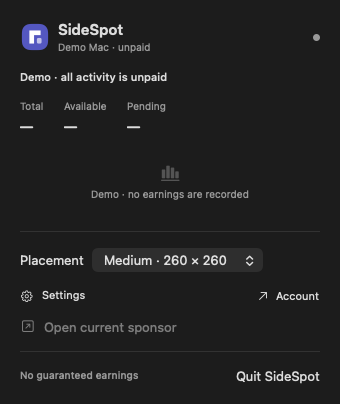
A Mac, a browser,
and your account.
Everything you need to connect SideSpot when downloads open.
- macOS 26+ on a supported Mac
- A browser for secure account pairing
- An internet connection for eligible impressions
- One connected Mac per account
- An adult account holder in a supported earning market
From download to your desktop.
This is the setup flow for the signed release. No public installer is available yet.
- 01
Install SideSpot
Open the signed download and move SideSpot to Applications. Launch it from there.
- 02
Connect your Mac
Continue in your browser, sign in, and approve the one-time device pairing request.
- 03
Choose your spot
Select a placement size and drag the ad where it suits your desktop. Launch at Login is optional.